When navigating within the Dr.Web Console for UNIX Internet Gateways sections, you cannot open the previous page using the standard Back function. If you click Back or use the corresponding key combination, the previous section of the main menu opens.
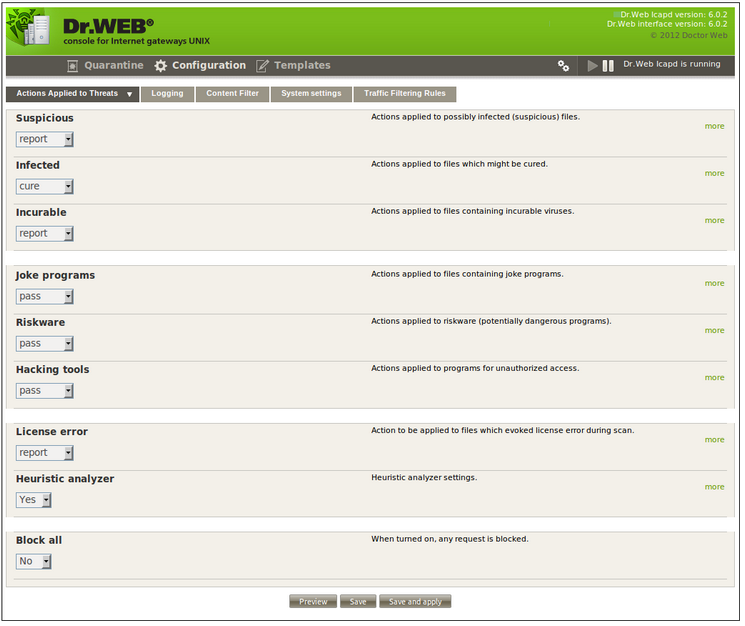
Figure 23. Dr.Web console for UNIX Internet gateways
Next to the module header, information on the current versions of Dr.Web ICAPD and Dr.Web for Unix Internet gateways web interface displays.
Under the module header, you can see the following three sections: Quarantine, Configuration and Templates. By default, the Actions Applied to Threats tab of the Configuration section opens.
Next to the section headers, you can see the following buttons: Interface Setup  , Start Dr.Web Icapd
  and Stop Dr.Web Icapd
  , as well as the current Dr.Web ICAPD status.